Pythagoras CAD+GIS v25.00.0010
Today, a variety of specialized software programs are available for surveyors, and a beginning surveyor often faces the question: which one to start with? It's important to understand that finding the "perfect" program is unlikely. You might read statements online like "I only use GeoniCS, CREDO, and AutoCad," but these are just personal opinions. Each program is designed to solve a specific range of problems. What's suitable for a cadastral engineer might seem inadequate to a topographer or someone working on a construction site.
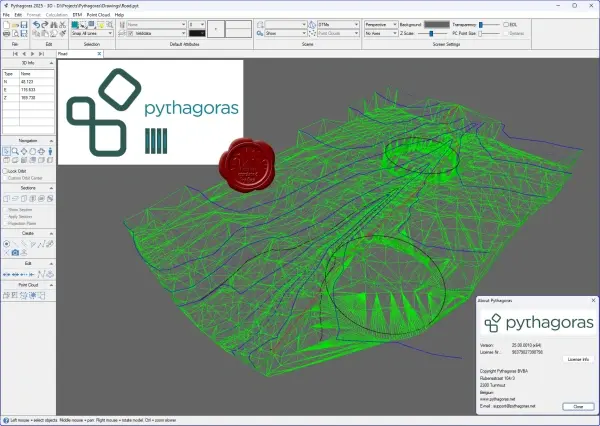
So, let's outline the range of tasks for Pythagoras CAD:
For beginners. If you've never used surveying software before, Pythagoras CAD is a great choice for learning, as it's very easy to learn, comes with detailed instructions, and solves virtually all common surveying problems.
For cadastral surveying. It's quite poorly suited because it doesn't support the main cadastral parcel description formats (for Ukraine, these are IN4 and the new XML formats). For cadastral purposes, I recommend learning the Digitals program.
For a topographer: Suitable. It allows you to quickly draw a topographic plan with symbols, create contour lines, etc. However, many organizations have a standard for topographic plan design in one program or another. For example, in my work, I maintain all field plans, outlines, and working drawings in Pythagoras CAD, but when a site is handed over, I have to convert the drawing to company standards (an AutoCad-based program).
For a construction surveyor: Ideal because it allows you to maintain a geodetic map of the site with all the data (a justification diagram, import a general plan, create as-built plans, etc.)
For a mine surveyor: Absolutely unsuitable due to the specific nature of the work.
120MB
Download
🔒 Go Premium to Unlock
Today, a variety of specialized software programs are available for surveyors, and a beginning surveyor often faces the question: which one to start with? It's important to understand that finding the "perfect" program is unlikely. You might read statements online like "I only use GeoniCS, CREDO, and AutoCad," but these are just personal opinions. Each program is designed to solve a specific range of problems. What's suitable for a cadastral engineer might seem inadequate to a topographer or someone working on a construction site.
So, let's outline the range of tasks for Pythagoras CAD:
For beginners. If you've never used surveying software before, Pythagoras CAD is a great choice for learning, as it's very easy to learn, comes with detailed instructions, and solves virtually all common surveying problems.
For cadastral surveying. It's quite poorly suited because it doesn't support the main cadastral parcel description formats (for Ukraine, these are IN4 and the new XML formats). For cadastral purposes, I recommend learning the Digitals program.
For a topographer: Suitable. It allows you to quickly draw a topographic plan with symbols, create contour lines, etc. However, many organizations have a standard for topographic plan design in one program or another. For example, in my work, I maintain all field plans, outlines, and working drawings in Pythagoras CAD, but when a site is handed over, I have to convert the drawing to company standards (an AutoCad-based program).
For a construction surveyor: Ideal because it allows you to maintain a geodetic map of the site with all the data (a justification diagram, import a general plan, create as-built plans, etc.)
For a mine surveyor: Absolutely unsuitable due to the specific nature of the work.
120MB
Download
🔒 Go Premium to Unlock
