Virtual Architect Instant Makeover 2.0.6208
Easy-to-use home design and renovation software that allows users to visualize interior and exterior makeovers using their own digital photos. Designed for homeowners, interior designers, and renovation enthusiasts, it provides practical tools for exploring home improvement ideas and creating realistic design concepts before starting a renovation project.
With Virtual Architect Instant Makeover, you can experiment with different paint colors, flooring options, wall finishes, and building materials using simple point-and-click controls. Its extensive library of products and design materials makes it easy to transform living rooms, bedrooms, kitchens, exterior walls, and other residential spaces with customized styles and finishes.
This intuitive interior design and exterior home remodeling software helps users compare design alternatives, preview color combinations, and visualize potential improvements directly on photographs of their existing homes. By making design experimentation quick and accessible, it simplifies the process of planning home renovations and choosing suitable materials.
Virtual Architect Instant Makeover 2.0.6208 is an ideal solution for home makeover planning, interior decoration, exterior design visualization, flooring selection, paint color experimentation, and residential renovation projects. Explore creative home improvement possibilities and bring your design ideas to life with easy-to-use photo-based visualization tools.
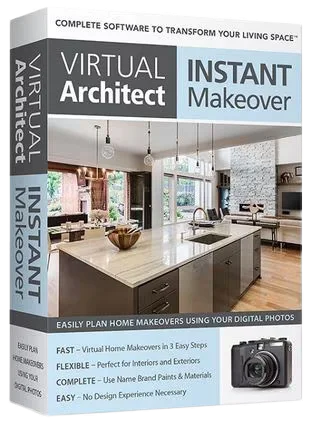
Visualize Your Home Project in 3D Quickly and Easily
- Fast! Virtual Home Makeovers in 3 Easy Steps!
- Flexible! Perfect for Interiors and Exteriors
- Fun! Use Your Own Digital Photos
- Complete! A Materials Library With Paints, Flooring, Windows, Doors and More
- Easy! No Architecture or Design Experience Needed
Use Your Own Digital Photos
Just Snap A Picture. Then Easily Change Colors and More.
Complete Materials Library
Simply choose from our library of paints, roofing, flooring, windows, doors and other materials. You can even create custom materials using your own digital photos. In minutes you’ll transform your old living space into the fresh, modern space you’ve always wanted.
Release Notes
System Requirements
• Windows 11, 10, and 8
• 64‐bit operating system (32‐bit also available)
• 2.0 GHz or faster processor
• 6 GB RAM (4 GB minimum)**
• 10 GB minimum available hard disk space
• DVD drive (or Internet connection) for installation
• 1024 x 768 display
• 2 GB dedicated video card (1 GB minimum)**
• Windows‐compatible mouse
• An Internet browser to view the online help (You may need to adjust the browser’s security settings for ActiveX® controls and plugins to view online help.)
• Internet connection for online features
• Additional system and video memory improves speed and 3D RealView™ rendering capabilities.
Languages: English
File Size: 569 MB
Download
🔒 Go Premium to Unlock
Easy-to-use home design and renovation software that allows users to visualize interior and exterior makeovers using their own digital photos. Designed for homeowners, interior designers, and renovation enthusiasts, it provides practical tools for exploring home improvement ideas and creating realistic design concepts before starting a renovation project.
With Virtual Architect Instant Makeover, you can experiment with different paint colors, flooring options, wall finishes, and building materials using simple point-and-click controls. Its extensive library of products and design materials makes it easy to transform living rooms, bedrooms, kitchens, exterior walls, and other residential spaces with customized styles and finishes.
This intuitive interior design and exterior home remodeling software helps users compare design alternatives, preview color combinations, and visualize potential improvements directly on photographs of their existing homes. By making design experimentation quick and accessible, it simplifies the process of planning home renovations and choosing suitable materials.
Virtual Architect Instant Makeover 2.0.6208 is an ideal solution for home makeover planning, interior decoration, exterior design visualization, flooring selection, paint color experimentation, and residential renovation projects. Explore creative home improvement possibilities and bring your design ideas to life with easy-to-use photo-based visualization tools.
Visualize Your Home Project in 3D Quickly and Easily
- Fast! Virtual Home Makeovers in 3 Easy Steps!
- Flexible! Perfect for Interiors and Exteriors
- Fun! Use Your Own Digital Photos
- Complete! A Materials Library With Paints, Flooring, Windows, Doors and More
- Easy! No Architecture or Design Experience Needed
Use Your Own Digital Photos
Just Snap A Picture. Then Easily Change Colors and More.
Complete Materials Library
Simply choose from our library of paints, roofing, flooring, windows, doors and other materials. You can even create custom materials using your own digital photos. In minutes you’ll transform your old living space into the fresh, modern space you’ve always wanted.
Release Notes
System Requirements
• Windows 11, 10, and 8
• 64‐bit operating system (32‐bit also available)
• 2.0 GHz or faster processor
• 6 GB RAM (4 GB minimum)**
• 10 GB minimum available hard disk space
• DVD drive (or Internet connection) for installation
• 1024 x 768 display
• 2 GB dedicated video card (1 GB minimum)**
• Windows‐compatible mouse
• An Internet browser to view the online help (You may need to adjust the browser’s security settings for ActiveX® controls and plugins to view online help.)
• Internet connection for online features
• Additional system and video memory improves speed and 3D RealView™ rendering capabilities.
Languages: English
File Size: 569 MB
Download
🔒 Go Premium to Unlock