
UDEMY-Become a Rendering Pro with Keyshot
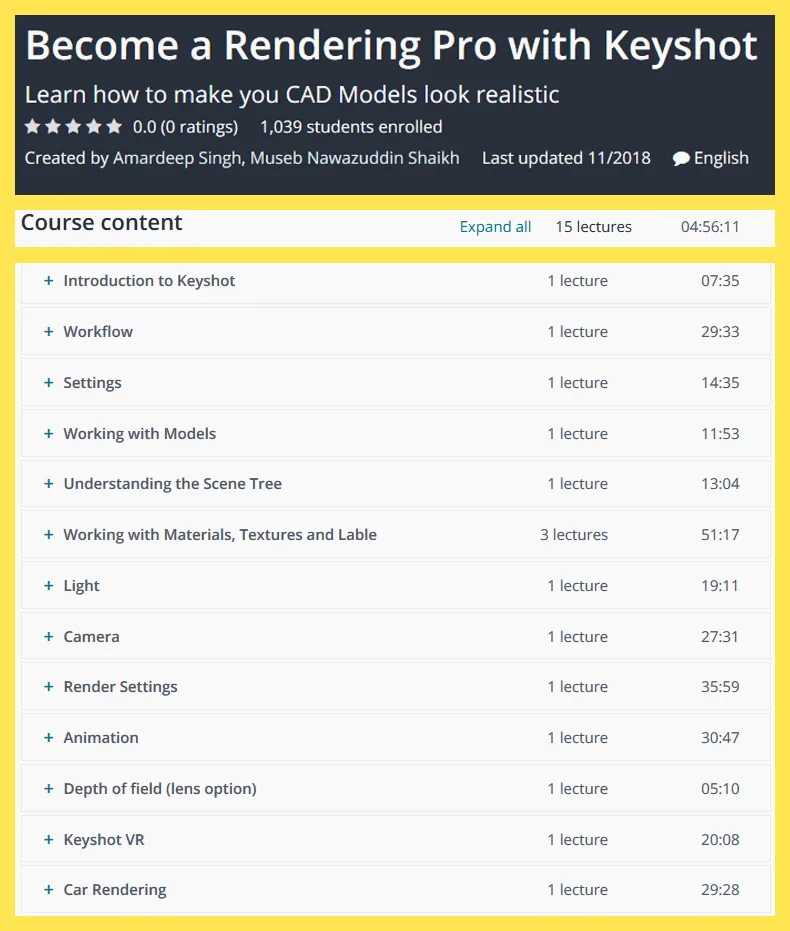
This course is taught keeping interior designers, architects , product designers , mechanical engineers and all those who want their models to look realistic. All the commands are taught considering that you are beginner and have no idea of rendering process. First Five sections are about basics. We are covering the basics of Keyshot such as interface, workflow, import and update models, understanding scene trays. After that we will jump on to the advance part. You will learn how to create new materials, textures and labels. How to place lights and Cameras? How to do create Depth of Field effect, animate models and about Keyshot VR. Finally we will apply our learning on an automobile. We will import one CAR model and show you how to render it right from the scratch
 .
رابط مباشرة
Go Premium to Unlock Register Now
[hidden link]
UPTOBOX
Become a Rendering Pro with Keyshot
This course is taught keeping interior designers, architects , product designers , mechanical engineers and all those who want their models to look realistic. All the commands are taught considering that you are beginner and have no idea of rendering process. First Five sections are about basics. We are covering the basics of Keyshot such as interface, workflow, import and update models, understanding scene trays. After that we will jump on to the advance part. You will learn how to create new materials, textures and labels. How to place lights and Cameras? How to do create Depth of Field effect, animate models and about Keyshot VR. Finally we will apply our learning on an automobile. We will import one CAR model and show you how to render it right from the scratch
.رابط مباشرة
Go Premium to Unlock Register Now
[hidden link]
UPTOBOX
Become a Rendering Pro with Keyshot
[hidden link] : 1. Introduction to Keyshot/1. Introduction.mp4
[hidden link] : 10. Animation/1. Animation.mp4
[hidden link] : 11. Depth of field (lens option)/1. Depth of field (lens option).mp4
[hidden link] : 12. Keyshot VR/1. Keyshot VR.mp4
[hidden link] : 13. Car Rendering/1. Car Rendering.mp4
[hidden link] : 2. Workflow/1. Workflow.mp4
[hidden link] : 3. Settings/1. Settings.mp4
[hidden link] : 4. Working with Models/1. Importing and Updating Models.mp4
[hidden link] : 5. Understanding the Scene Tree/1. Understanding the Scene Treee.mp4
[hidden link] : 6. Working with Materials, Textures and Lable/1. Materials.mp4
[hidden link] : 6. Working with Materials, Textures and Lable/2. Textures.mp4
[hidden link] : 6. Working with Materials, Textures and Lable/3. Labels.mp4
[hidden link] : 7. Light/1. Lights.mp4
[hidden link] : 8. Camera/1. Camera.mp4
[hidden link] : 9. Render Settings/1. Render Settings.mp4
