Planworks Tables 2027.1.2.0
Planworks Tables for Revit – Excel Spreadsheet and BIM Data Management for Autodesk Revit
Planworks Tables for Revit is a powerful Autodesk Revit plugin that brings the flexibility of Excel directly into Revit. Designed for architects, engineers, BIM managers, and Revit professionals, Tables provides an intuitive spreadsheet environment inside Revit to help you manage, edit, organize, compare, and update Revit project data more efficiently.
With Tables for Revit, you can work with your Revit model using a familiar Excel-style interface while maintaining a direct connection between your spreadsheet and Revit. The application supports bidirectional data exchange, allowing you to edit Revit information in the spreadsheet and write the updated values back into your Revit model.
Excel Spreadsheet Integration with Revit
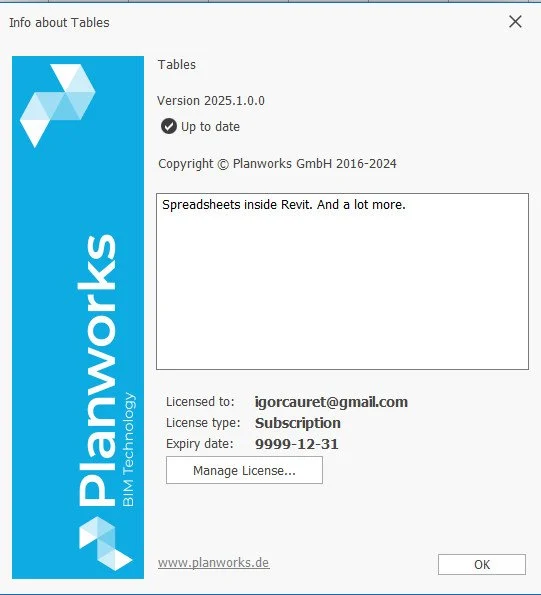
Tables is deeply integrated with Autodesk Revit and provides extensive compatibility with Microsoft Excel (.xlsx). Create, edit, format, and manage professional spreadsheets directly from your Revit project. You can also create reusable spreadsheet templates for future projects, helping standardize workflows and reduce repetitive BIM tasks.
Because Tables supports bidirectional communication, information can be transferred between Excel and Revit. Update values in your spreadsheet and push the changes back into the Revit model, making it easier to manage large amounts of BIM data without repeatedly navigating through Revit dialogs and properties.
Revit Data Management and BIM Workflows
Planworks Tables for Revit provides dedicated tools for BIM data management, project coordination, and Revit model management. Organize and structure project information, compare data, manage model parameters, and work with Revit information through a familiar spreadsheet workflow.
These capabilities make Tables a practical solution for BIM managers, architects, structural engineers, MEP engineers, contractors, and other Revit users who need greater control over project data and documentation.
SmartCreation Tools for Revit
Tables also includes SmartCreation commands that help automate common Revit tasks. Create levels, views, rooms, and sheets with placed views directly through the Tables spreadsheet environment.
By combining spreadsheet-based data management with Revit automation, SmartCreation can help streamline repetitive modeling and documentation workflows. Additional SmartCreation features are planned for future releases.
Revit BIM Coordination and Productivity
Dedicated commands for BIM management and coordination help users stay organized and maintain better control over Revit project information. Tables combines the familiar workflow of an Excel spreadsheet with the power of Autodesk Revit, providing a centralized environment for working with BIM data.
Whether you need to manage Revit parameters, edit project information, create views and sheets, organize BIM data, or transfer information between Excel and Revit, Planworks Tables provides an efficient spreadsheet-based workflow designed specifically for Revit users.
Key Features
Excel-style spreadsheet environment integrated directly into Revit
Bidirectional data exchange between Revit and Excel
Microsoft Excel XLSX compatibility
Edit and update Revit model data from a spreadsheet
Create and reuse Excel-based templates for Revit projects
Organize, structure, manage, and compare Revit project data
Revit data management and BIM coordination tools
SmartCreation commands for creating levels, views, rooms, and sheets
Create sheets with placed views
Supports BIM management and project coordination workflows
Designed for architects, engineers, BIM managers, and Revit professionals
Compatible with Windows 10 and Windows 11
Planworks Tables for Revit brings Excel-style spreadsheet functionality, BIM data management, Revit automation, and bidirectional data exchange together in one powerful tool—helping Revit users work faster and manage project information more efficiently.
File size: 343 MB
Download
🔒 Go Premium to Unlock
Planworks Tables for Revit – Excel Spreadsheet and BIM Data Management for Autodesk Revit
Planworks Tables for Revit is a powerful Autodesk Revit plugin that brings the flexibility of Excel directly into Revit. Designed for architects, engineers, BIM managers, and Revit professionals, Tables provides an intuitive spreadsheet environment inside Revit to help you manage, edit, organize, compare, and update Revit project data more efficiently.
With Tables for Revit, you can work with your Revit model using a familiar Excel-style interface while maintaining a direct connection between your spreadsheet and Revit. The application supports bidirectional data exchange, allowing you to edit Revit information in the spreadsheet and write the updated values back into your Revit model.
Excel Spreadsheet Integration with Revit
Tables is deeply integrated with Autodesk Revit and provides extensive compatibility with Microsoft Excel (.xlsx). Create, edit, format, and manage professional spreadsheets directly from your Revit project. You can also create reusable spreadsheet templates for future projects, helping standardize workflows and reduce repetitive BIM tasks.
Because Tables supports bidirectional communication, information can be transferred between Excel and Revit. Update values in your spreadsheet and push the changes back into the Revit model, making it easier to manage large amounts of BIM data without repeatedly navigating through Revit dialogs and properties.
Revit Data Management and BIM Workflows
Planworks Tables for Revit provides dedicated tools for BIM data management, project coordination, and Revit model management. Organize and structure project information, compare data, manage model parameters, and work with Revit information through a familiar spreadsheet workflow.
These capabilities make Tables a practical solution for BIM managers, architects, structural engineers, MEP engineers, contractors, and other Revit users who need greater control over project data and documentation.
SmartCreation Tools for Revit
Tables also includes SmartCreation commands that help automate common Revit tasks. Create levels, views, rooms, and sheets with placed views directly through the Tables spreadsheet environment.
By combining spreadsheet-based data management with Revit automation, SmartCreation can help streamline repetitive modeling and documentation workflows. Additional SmartCreation features are planned for future releases.
Revit BIM Coordination and Productivity
Dedicated commands for BIM management and coordination help users stay organized and maintain better control over Revit project information. Tables combines the familiar workflow of an Excel spreadsheet with the power of Autodesk Revit, providing a centralized environment for working with BIM data.
Whether you need to manage Revit parameters, edit project information, create views and sheets, organize BIM data, or transfer information between Excel and Revit, Planworks Tables provides an efficient spreadsheet-based workflow designed specifically for Revit users.
Key Features
Excel-style spreadsheet environment integrated directly into Revit
Bidirectional data exchange between Revit and Excel
Microsoft Excel XLSX compatibility
Edit and update Revit model data from a spreadsheet
Create and reuse Excel-based templates for Revit projects
Organize, structure, manage, and compare Revit project data
Revit data management and BIM coordination tools
SmartCreation commands for creating levels, views, rooms, and sheets
Create sheets with placed views
Supports BIM management and project coordination workflows
Designed for architects, engineers, BIM managers, and Revit professionals
Compatible with Windows 10 and Windows 11
Planworks Tables for Revit brings Excel-style spreadsheet functionality, BIM data management, Revit automation, and bidirectional data exchange together in one powerful tool—helping Revit users work faster and manage project information more efficiently.
File size: 343 MB
Download
🔒 Go Premium to Unlock