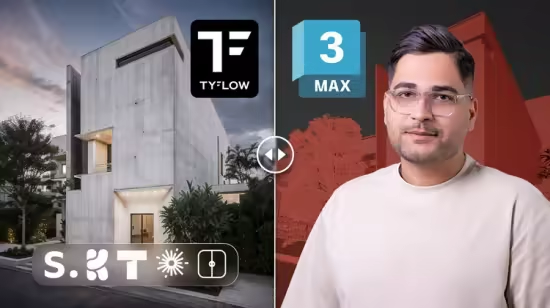
TyDiffusion Pro - AI for Architects & 3D Modelers in 3Ds Max
TyFlow, Stable Diffusion AI, Text to Image & 3D to Render, AI in 3Ds Max, Flux, Prompt Engineering, ControlNet, Upscale
What you'll learn
Stable Diffusion in 3Ds Max for Architecture & Rendering – Complete Guide to AI Image Generation
TyDiffusion in Autodesk 3Ds Max – Installation, Setup, and Pro Workflow for Architects
Text-to-Image & 3D-to-Render in 3Ds Max – High Detailed Techniques for Design and Visualization
Flux Platform for AI Rendering in 3Ds Max – Expert Use of Online Tools and Resources
Prompt Engineering for Stable Diffusion in 3Ds Max – Effective Methods to Create Professional Results
Negative Prompts & Render Styles in 3Ds Max – Complete Approach for High-Quality Visuals
ControlNet in Autodesk 3Ds Max for Architecture – Edge, Line Art, Depth and Sketch Controls in AI Rendering
Lora Models & IP-Adapter in 3Ds Max – Advanced Styling and High Detailed Enhancements
Custom Models in TyDiffusion for 3Ds Max – Accurate Setup Using Civitai and AI Libraries
Upscale with Upscayl in 3Ds Max Workflow – Expert Image Enhancement and High Resolution Rendering
AI Rendering in 3Ds Max – Complete Workflow from Setup to Final Output
Professional AI Tools in 3Ds Max for Architects & 3D Modelers – Master Rendering, Detailing, and Visualization
Requirements
Basic knowledge of 3Ds Max
PC/Laptop with GPU (8 GB VRAM or higher recommended)
Internet connection (for downloading models and online platforms)
Description
Note: This is not just another course about AI image generation. This training focuses on Ty Diffusion in Autodesk 3Ds Max with real workflows for Text-to-Image and 3D-to-Render, practical Prompt Engineering, and professional rendering pipelines used by architects and 3D modelers.Have you ever wondered how to use Stable Diffusion in 3Ds Max for real architectural visualization?
Do you want to learn how Prompt Engineering, Control Net, and Custom Models can take your rendering quality to the next level?Are you looking for a complete workflow of AI for Architects and 3D Modelers that includes Upscale, Flux, and TyDiffusion in one course?In this course, you will learn how to integrate AI tools into your 3Ds Max workflow to achieve high-quality Text-to-Image and 3D-to-Render results. From installation of Ty Diffusion, through Prompt Engineering and advanced techniques with Control Net, Lora Models, IP-Adapter, to final Upscaling and Rendering, this masterclass is designed to give you both theory and hands-on practice.
By the end, you will be able to produce professional AI-driven renders tailored for architecture and 3D design.
Headlines:
What you will learn Stable Diffusion in 3Ds Max for Architecture & Rendering – Complete Guide to AI Image Generation Ty Diffusion in Autodesk 3Ds Max – Installation, Setup, and Pro Workflow for Architects Text-to-Image & 3D-to-Render in 3Ds Max – High Detailed Techniques for Design and Visualization Flux Platform for AI Rendering in 3Ds Max – Expert Use of Online Tools and Resources Prompt Engineering for Stable Diffusion in 3Ds Max – Effective Methods to Create Professional Results Negative Prompts & Render Styles in 3Ds Max – Complete Approach for High-Quality Visuals Control Net in Autodesk 3Ds Max for Architecture – Edge, Line Art, Depth and Sketch Controls in AI Rendering Lora Models & IP-Adapter in 3Ds Max – Advanced Styling and High Detailed Enhancements Custom Models in Ty Diffusion for 3Ds Max – Accurate Setup Using Civitai and AI Libraries Upscale with Upscayl in 3Ds Max Workflow – Expert Image Enhancement and High Resolution Rendering AI Rendering in 3Ds Max – Complete Workflow from Setup to Final Output Professional AI Tools in 3Ds Max for Architects & 3D Modelers – Master Rendering, Detailing, and Visualization Enroll in this course today and start mastering AI-powered rendering in Autodesk 3Ds Max.If you have any questions during the course, ask me anything – I provide 24/7 support to help you become an expert in AI rendering faster.
Who this course is for
Architects
3D Modelers
BIM Modelers
Interior Designers
Exterior Designers
Landscape Architects
Urban Designers
3Ds Max User
Autodesk 3ds Max software users
Visualization Artists
Rendering Specialists
Concept Artists
Game Environment Designers
3D Animation Artists
Product Designers
Industrial Designers
AI Enthusiasts in Architecture
Students of Architecture & 3D Design
Freelance Designers & Creators
Design Educators & Trainers
Creative Directors
Anyone Interested in AI Rendering in 3Ds Max
Published 9/2025
MP4 | Video: h264, 1280x720 | Audio: AAC, 44.1 KHz, 2 Ch
Language: English | Duration: 3h 33m | Size: 1.47 GB
Download
🔒 Go Premium to Unlock
TyFlow, Stable Diffusion AI, Text to Image & 3D to Render, AI in 3Ds Max, Flux, Prompt Engineering, ControlNet, Upscale
What you'll learn
Stable Diffusion in 3Ds Max for Architecture & Rendering – Complete Guide to AI Image Generation
TyDiffusion in Autodesk 3Ds Max – Installation, Setup, and Pro Workflow for Architects
Text-to-Image & 3D-to-Render in 3Ds Max – High Detailed Techniques for Design and Visualization
Flux Platform for AI Rendering in 3Ds Max – Expert Use of Online Tools and Resources
Prompt Engineering for Stable Diffusion in 3Ds Max – Effective Methods to Create Professional Results
Negative Prompts & Render Styles in 3Ds Max – Complete Approach for High-Quality Visuals
ControlNet in Autodesk 3Ds Max for Architecture – Edge, Line Art, Depth and Sketch Controls in AI Rendering
Lora Models & IP-Adapter in 3Ds Max – Advanced Styling and High Detailed Enhancements
Custom Models in TyDiffusion for 3Ds Max – Accurate Setup Using Civitai and AI Libraries
Upscale with Upscayl in 3Ds Max Workflow – Expert Image Enhancement and High Resolution Rendering
AI Rendering in 3Ds Max – Complete Workflow from Setup to Final Output
Professional AI Tools in 3Ds Max for Architects & 3D Modelers – Master Rendering, Detailing, and Visualization
Requirements
Basic knowledge of 3Ds Max
PC/Laptop with GPU (8 GB VRAM or higher recommended)
Internet connection (for downloading models and online platforms)
Description
Note: This is not just another course about AI image generation. This training focuses on Ty Diffusion in Autodesk 3Ds Max with real workflows for Text-to-Image and 3D-to-Render, practical Prompt Engineering, and professional rendering pipelines used by architects and 3D modelers.Have you ever wondered how to use Stable Diffusion in 3Ds Max for real architectural visualization?
Do you want to learn how Prompt Engineering, Control Net, and Custom Models can take your rendering quality to the next level?Are you looking for a complete workflow of AI for Architects and 3D Modelers that includes Upscale, Flux, and TyDiffusion in one course?In this course, you will learn how to integrate AI tools into your 3Ds Max workflow to achieve high-quality Text-to-Image and 3D-to-Render results. From installation of Ty Diffusion, through Prompt Engineering and advanced techniques with Control Net, Lora Models, IP-Adapter, to final Upscaling and Rendering, this masterclass is designed to give you both theory and hands-on practice.
By the end, you will be able to produce professional AI-driven renders tailored for architecture and 3D design.
Headlines:
What you will learn Stable Diffusion in 3Ds Max for Architecture & Rendering – Complete Guide to AI Image Generation Ty Diffusion in Autodesk 3Ds Max – Installation, Setup, and Pro Workflow for Architects Text-to-Image & 3D-to-Render in 3Ds Max – High Detailed Techniques for Design and Visualization Flux Platform for AI Rendering in 3Ds Max – Expert Use of Online Tools and Resources Prompt Engineering for Stable Diffusion in 3Ds Max – Effective Methods to Create Professional Results Negative Prompts & Render Styles in 3Ds Max – Complete Approach for High-Quality Visuals Control Net in Autodesk 3Ds Max for Architecture – Edge, Line Art, Depth and Sketch Controls in AI Rendering Lora Models & IP-Adapter in 3Ds Max – Advanced Styling and High Detailed Enhancements Custom Models in Ty Diffusion for 3Ds Max – Accurate Setup Using Civitai and AI Libraries Upscale with Upscayl in 3Ds Max Workflow – Expert Image Enhancement and High Resolution Rendering AI Rendering in 3Ds Max – Complete Workflow from Setup to Final Output Professional AI Tools in 3Ds Max for Architects & 3D Modelers – Master Rendering, Detailing, and Visualization Enroll in this course today and start mastering AI-powered rendering in Autodesk 3Ds Max.If you have any questions during the course, ask me anything – I provide 24/7 support to help you become an expert in AI rendering faster.
Who this course is for
Architects
3D Modelers
BIM Modelers
Interior Designers
Exterior Designers
Landscape Architects
Urban Designers
3Ds Max User
Autodesk 3ds Max software users
Visualization Artists
Rendering Specialists
Concept Artists
Game Environment Designers
3D Animation Artists
Product Designers
Industrial Designers
AI Enthusiasts in Architecture
Students of Architecture & 3D Design
Freelance Designers & Creators
Design Educators & Trainers
Creative Directors
Anyone Interested in AI Rendering in 3Ds Max
Published 9/2025
MP4 | Video: h264, 1280x720 | Audio: AAC, 44.1 KHz, 2 Ch
Language: English | Duration: 3h 33m | Size: 1.47 GB
Download
🔒 Go Premium to Unlock