Infiniteskills Learning Autodesk Revit Structure 2016 Theos
Description: In this Revit Structure 2016 training course, expert
author Tim Dundr will teach you the fundamentals of
building information modeling for structural
engineering. This course is designed for the absolute
beginner, meaning no prior experience with Revit or
other CAD/BIM software is required
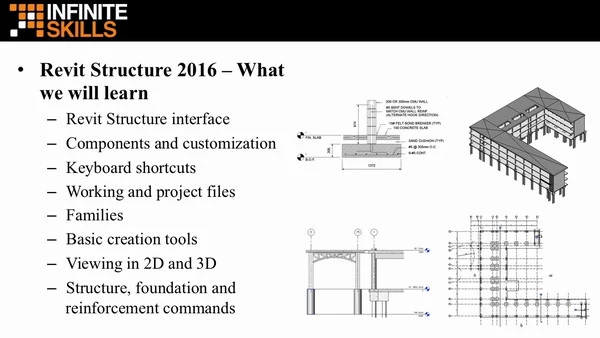
You will start with a tour of the user interface and
learn about the new features in Structure 2016. Tim
will then teach you the basic creation and editing
tools, then move on to showing you how to start a
structural project. This video tutorial will also
cover how to work with views, set up levels and grids
and add columns and walls to your model. You will
learn how to add a foundation, create structural
reinforcement, and place beams and framing. Tim will
also teach you how to create floor systems and shaft
openings, add detailing, and use Worksharing. Finally
you will learn how to export images and create a
walkthrough for presentations
Once you have completed this computer based training
course, you will have developed the knowledge
necessary to use the tools and techniques in Revit
Structure to create your own models. Working files are
included, allowing you to follow along with the author
throughout the lessons
000.Working Files
001.IntroductionToRevitStructure2016
002.RevitStructure2016-AtAGlance
003.BasicCreationTools
004.BasicEditingTools
005.StartingStructuralProjects
006.Views
007.LevelsAndGrids
008.StructuralColumnsAndWalls
009.AddingFoundations
010.StructuralReinforcement
011.BeamsAndFraming
012.FloorsAndShafts
013.Scheduling
014.Detailing
015.Documentation
016.Worksharing
017.Presentations
018.Conclusion
2.81GB
Download
🔒 Go Premium to Unlock


