Exploring Autodesk Revit 2019 for Architecture
Exploring Autodesk Revit 2019 for Architecture is a comprehensive book that has been written to cater to the needs of the students and the professionals who are involved in the AEC profession. Revit 2019 book is a gateway to power, skill, and competence in the field of architecture and interior presentations, drawings, and documentations. In this book, the author has emphasized on the concept of designing, creating families, quantity surveying and material takeoff, rendering orthographic and perspective views of building, usage of other advanced tools. In this book, the chapters have been punctuated with tips and notes that provide additional information on the concept. The highlight of Revit 2019 book is that each concept introduced in it is explained with the help of suitable examples for better understanding. The simple and lucid language used in Revit 2019 book makes it a ready reference for both beginners and intermediate users.
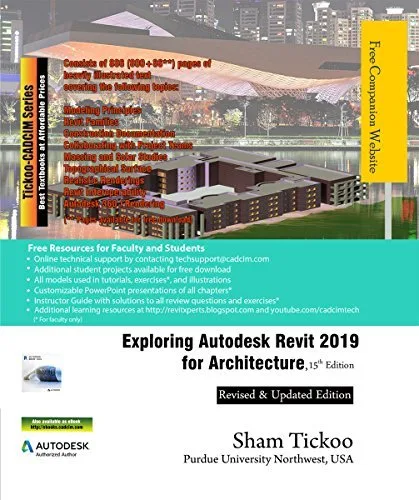
Following are the additional features of this book:
Comprehensive textbook consisting of 886 (800 + 86*) pages of heavily illustrated text.
Detailed explanation of the commands and tools of Autodesk Revit used for Architecture.
Real-world architectural and interior designing projects as tutorials.
Tips and Notes throughout the textbook for providing additional information.
Self-Evaluation Tests, Review Questions, and Exercises at the end of the chapters.
Student project for practice.
Chapter 1: Introduction to Autodesk Revit 2019 for Architecture
Chapter 2: Starting an Architectural Project
Chapter 3: Creating Walls
Chapter 4: Using Basic Building Components-I
Chapter 5: Using the Editing Tools
Chapter 6: Working with Datum and Creating Standard Views
Chapter 7: Using Basic Building Components-II
Chapter 8: Using Basic Building Components-III
Chapter 9: Adding Site Features
Chapter 10: Using Massing Tools
Chapter 11: Adding Annotations and Dimensions
Chapter 12: Creating Project Details and Schedules
Chapter 13: Creating and Plotting Drawing Sheets
Chapter 14: Creating 3D Views
Chapter 15: Rendering Views and Creating Walkthroughs
Student Project
Index
Free Teaching and Learning Resources
All data files used in tutorials, exercises*, and illustrations.
Customizable PowerPoint presentations of all chapters*.
Instructor Guide with solution to all review questions and exercises*
(* For faculty only)
About the Authors
CADCIM Technologies, Prof. Sham Tickoo of Purdue University Northwest, and the team of dedicated contributing authors at CADCIM Technologies are committed to bring you the best textbooks and free teaching and learning resources on CAD/CAM/CAE, Computer Programming, GIS, Civil, Animation and VFX, and related technologies. We strive to be the first and the best. That is our promise and goal.
Our team of authors consists of highly qualified and experienced engineers, programmers, and animation and visual effects artists who have a strong academic and industrial background. They understand the needs of the students, the faculty, and the challenges the students face when they start working in industry.
English | 25 Jun. 2018 | ASIN: B07F1ZXT7X | 993 Pages | EPUB | 65.83 MB
Download
🔒 Upgrade
Exploring Autodesk Revit 2019 for Architecture is a comprehensive book that has been written to cater to the needs of the students and the professionals who are involved in the AEC profession. Revit 2019 book is a gateway to power, skill, and competence in the field of architecture and interior presentations, drawings, and documentations. In this book, the author has emphasized on the concept of designing, creating families, quantity surveying and material takeoff, rendering orthographic and perspective views of building, usage of other advanced tools. In this book, the chapters have been punctuated with tips and notes that provide additional information on the concept. The highlight of Revit 2019 book is that each concept introduced in it is explained with the help of suitable examples for better understanding. The simple and lucid language used in Revit 2019 book makes it a ready reference for both beginners and intermediate users.
Following are the additional features of this book:
Comprehensive textbook consisting of 886 (800 + 86*) pages of heavily illustrated text.
Detailed explanation of the commands and tools of Autodesk Revit used for Architecture.
Real-world architectural and interior designing projects as tutorials.
Tips and Notes throughout the textbook for providing additional information.
Self-Evaluation Tests, Review Questions, and Exercises at the end of the chapters.
Student project for practice.
Chapter 1: Introduction to Autodesk Revit 2019 for Architecture
Chapter 2: Starting an Architectural Project
Chapter 3: Creating Walls
Chapter 4: Using Basic Building Components-I
Chapter 5: Using the Editing Tools
Chapter 6: Working with Datum and Creating Standard Views
Chapter 7: Using Basic Building Components-II
Chapter 8: Using Basic Building Components-III
Chapter 9: Adding Site Features
Chapter 10: Using Massing Tools
Chapter 11: Adding Annotations and Dimensions
Chapter 12: Creating Project Details and Schedules
Chapter 13: Creating and Plotting Drawing Sheets
Chapter 14: Creating 3D Views
Chapter 15: Rendering Views and Creating Walkthroughs
Student Project
Index
Free Teaching and Learning Resources
All data files used in tutorials, exercises*, and illustrations.
Customizable PowerPoint presentations of all chapters*.
Instructor Guide with solution to all review questions and exercises*
(* For faculty only)
About the Authors
CADCIM Technologies, Prof. Sham Tickoo of Purdue University Northwest, and the team of dedicated contributing authors at CADCIM Technologies are committed to bring you the best textbooks and free teaching and learning resources on CAD/CAM/CAE, Computer Programming, GIS, Civil, Animation and VFX, and related technologies. We strive to be the first and the best. That is our promise and goal.
Our team of authors consists of highly qualified and experienced engineers, programmers, and animation and visual effects artists who have a strong academic and industrial background. They understand the needs of the students, the faculty, and the challenges the students face when they start working in industry.
English | 25 Jun. 2018 | ASIN: B07F1ZXT7X | 993 Pages | EPUB | 65.83 MB
Download
🔒 Upgrade