SIEMENS SIMATIC TIA PORTAL V19 x64 [11/2023, Multi, NO RUS]

Name: Siemens Simatic TIA Portal v19.0 [2023/11, x64, ENG]
Purpose: Programming industrial PLC controllers, HMI visualization, and Drives
Developer: Siemens AG
Year: 2023
Platform: PC
Version: 19.0
Interface Language: English, German, Italian, Chinese
Tablet: Available (EKB Install)
System Requirements:
Minimum hardware requirements that must be met for an installation:
Intel® Core™ i3-6100U Processor, 2.3Ghz or higher
8 GB RAM or more
S-ATA hard drive with at least 20GB available memory space
Monitor 1024 x 768 or higher
Recommended System Requirements / Recommended Hardware:
Computer SIMATIC FIELD PG M6 Comfort or higher (or comparable PC)
Processor
Intel ® Core ™ i5-8400H (2.5 bis 4.2 GHz; 4 Kerne + Hype-Threading: 8MB Smart Cache)
RAM 16 GB or more (32GB for large projects)
Hard disk SSD with at least 50GB available memory space
Monitor 1920 x 1080 or more
Operating systems:
Windows 10 (64-bit)
Windows 10 Home Version 22H2*
Windows 10 Professional Version 22H2
Windows 10 Enterprise Version 2009/20H2
Windows 10 Enterprise Version 21H2
Windows 10 Enterprise Version 22H2
Windows 10 Enterprise 2016 LTSB
Windows 10 Enterprise 2019 LTSC
Windows 10 Enterprise 2021 LTSC
Windows 11 (64-bit)
Windows 11 Home Version 21H2*
Windows 11 Home Version 22H2*
Windows 11 Professional Version 21H2
Windows 11 Professional Version 22H2
Windows 11 Enterprise 21H2
Windows 11 Enterprise 22H2
Windows Server (64-bit)
Windows Server 2016 Standard (full installation)
Windows Server 2019 Standard (full installation)
Windows Server 2022 Standard (full installation)
Installation instructions: Manually install STEP7, WINCC, etc. from the appropriate folders based on your needs.
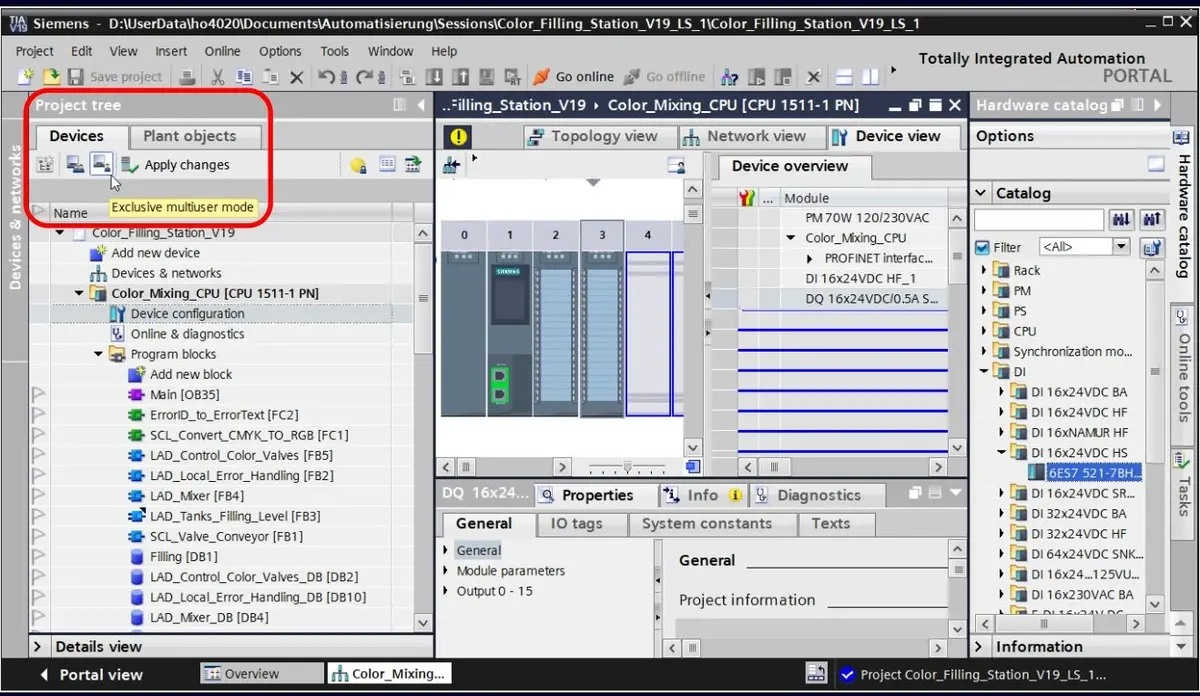
Description: TIA Portal (Totally Integrated Automation Portal) is an integrated software development environment for process automation systems, from the drive and controller level to the human-machine interface. It embodies the Totally Integrated Automation concept and is an evolutionary development of the Simatic family of automation systems from Siemens AG.
The following software packages are integrated into the TIA Portal:
SIMATIC STEP 7 V19 109784439
SIMATIC STEP 7 Safety V19 109783085
SIMATIC WinCC V19 109795525
SIMATIC WinCC Unified V19 109792165
SINAMICS Startdrive V19 109795276
SIMOTION SCOUT TIA V5.4 SP3 109801441
SIMOCODE ES V19 109793079
SIRIUS Soft Starter ES V19 109793077
SIRIUS Safety ES V19 109793091
After a certain period of time, program updates or a new version is released. Currently, the newest version is TIA Portal 19.
TIA Portal contains tools for:
configuring and setting hardware parameters
configuring industrial communication systems
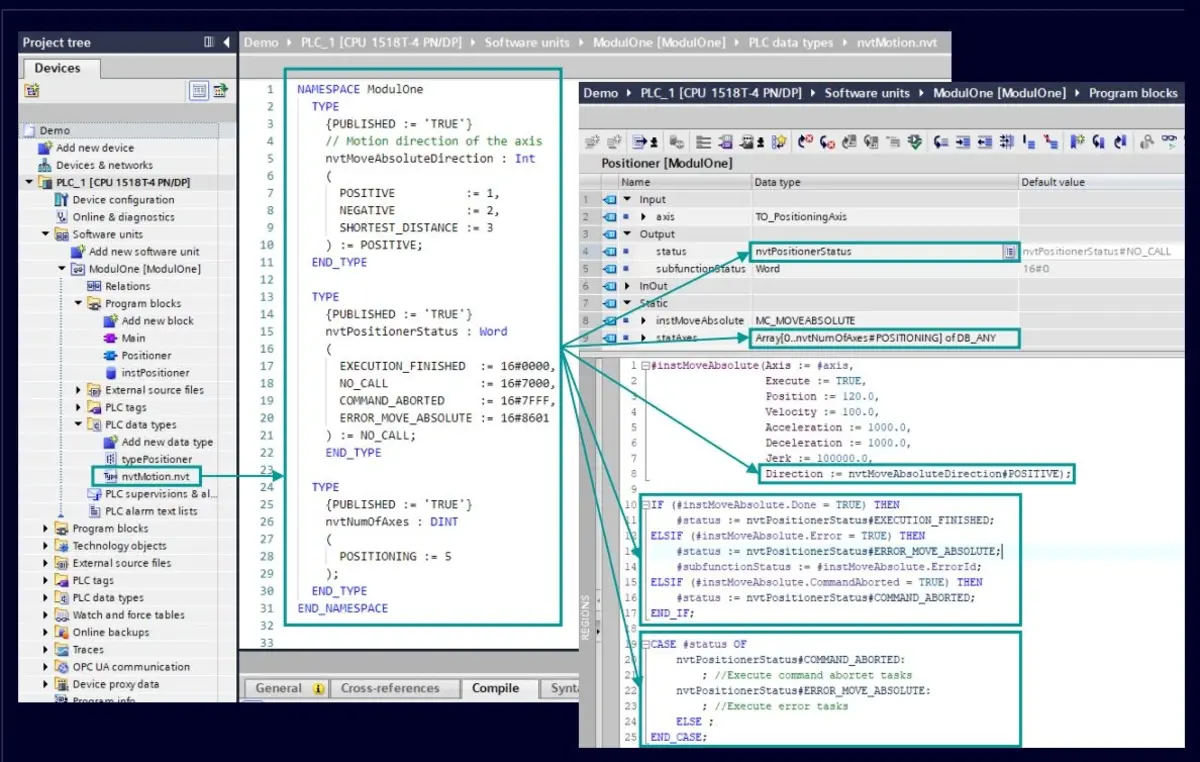
programming controllers
configuring SIMATIC operator panels
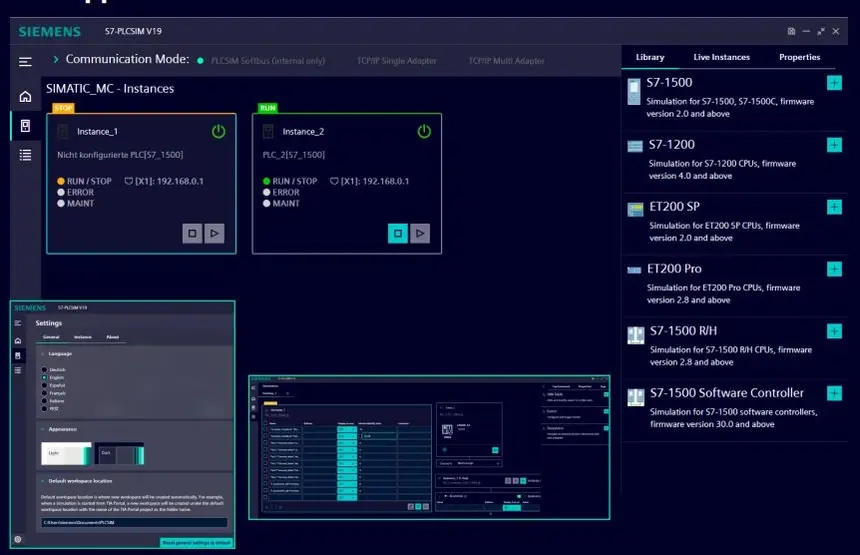
testing, commissioning, and servicing the finished system
The basic version of STEP 7 has the following programming languages, standardized according to DIN EN 61131-3:
FBS – Function Block Diagram (FBD - Function Block Diagram) - (formerly FUP - Function Plan)
KOP – Kontaktplan (LAD - Ladder Diagram)
AWL – Statement List (STL - Statement List)
Additional options (engineering tools) are available, compliant with EN 61131-3:
S7 SCL (Structured Control Language) Strukturierter Text - structured high-level language
S7-Graph - graphical programming language process
in addition:
S7 HiGraph, graphical programming using state graphs
S7 CFC (Continuous Function Chart)
Download
73.77GB
Name: Siemens Simatic TIA Portal v19.0 [2023/11, x64, ENG]
Purpose: Programming industrial PLC controllers, HMI visualization, and Drives
Developer: Siemens AG
Year: 2023
Platform: PC
Version: 19.0
Interface Language: English, German, Italian, Chinese
Tablet: Available (EKB Install)
System Requirements:
Minimum hardware requirements that must be met for an installation:
Intel® Core™ i3-6100U Processor, 2.3Ghz or higher
8 GB RAM or more
S-ATA hard drive with at least 20GB available memory space
Monitor 1024 x 768 or higher
Recommended System Requirements / Recommended Hardware:
Computer SIMATIC FIELD PG M6 Comfort or higher (or comparable PC)
Processor
Intel ® Core ™ i5-8400H (2.5 bis 4.2 GHz; 4 Kerne + Hype-Threading: 8MB Smart Cache)
RAM 16 GB or more (32GB for large projects)
Hard disk SSD with at least 50GB available memory space
Monitor 1920 x 1080 or more
Operating systems:
Windows 10 (64-bit)
Windows 10 Home Version 22H2*
Windows 10 Professional Version 22H2
Windows 10 Enterprise Version 2009/20H2
Windows 10 Enterprise Version 21H2
Windows 10 Enterprise Version 22H2
Windows 10 Enterprise 2016 LTSB
Windows 10 Enterprise 2019 LTSC
Windows 10 Enterprise 2021 LTSC
Windows 11 (64-bit)
Windows 11 Home Version 21H2*
Windows 11 Home Version 22H2*
Windows 11 Professional Version 21H2
Windows 11 Professional Version 22H2
Windows 11 Enterprise 21H2
Windows 11 Enterprise 22H2
Windows Server (64-bit)
Windows Server 2016 Standard (full installation)
Windows Server 2019 Standard (full installation)
Windows Server 2022 Standard (full installation)
Installation instructions: Manually install STEP7, WINCC, etc. from the appropriate folders based on your needs.
Description: TIA Portal (Totally Integrated Automation Portal) is an integrated software development environment for process automation systems, from the drive and controller level to the human-machine interface. It embodies the Totally Integrated Automation concept and is an evolutionary development of the Simatic family of automation systems from Siemens AG.
The following software packages are integrated into the TIA Portal:
SIMATIC STEP 7 V19 109784439
SIMATIC STEP 7 Safety V19 109783085
SIMATIC WinCC V19 109795525
SIMATIC WinCC Unified V19 109792165
SINAMICS Startdrive V19 109795276
SIMOTION SCOUT TIA V5.4 SP3 109801441
SIMOCODE ES V19 109793079
SIRIUS Soft Starter ES V19 109793077
SIRIUS Safety ES V19 109793091
After a certain period of time, program updates or a new version is released. Currently, the newest version is TIA Portal 19.
TIA Portal contains tools for:
configuring and setting hardware parameters
configuring industrial communication systems
programming controllers
configuring SIMATIC operator panels
testing, commissioning, and servicing the finished system
The basic version of STEP 7 has the following programming languages, standardized according to DIN EN 61131-3:
FBS – Function Block Diagram (FBD - Function Block Diagram) - (formerly FUP - Function Plan)
KOP – Kontaktplan (LAD - Ladder Diagram)
AWL – Statement List (STL - Statement List)
Additional options (engineering tools) are available, compliant with EN 61131-3:
S7 SCL (Structured Control Language) Strukturierter Text - structured high-level language
S7-Graph - graphical programming language process
in addition:
S7 HiGraph, graphical programming using state graphs
S7 CFC (Continuous Function Chart)
Download
73.77GB