OpenRoads Designer - Beginners civil works Level 1 - ...
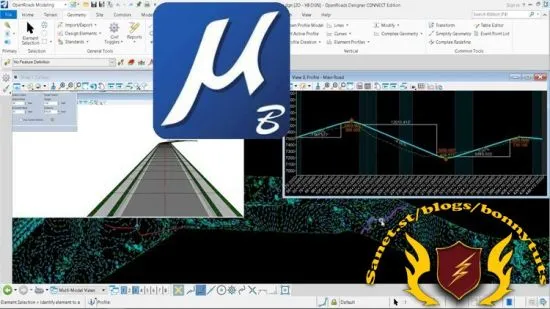
Use CONNECT Edition - OpenRoads tool to Microstation civil design
What you'll learn:
Open Roads dsign
Bentley Open Roads
Linear design
vertical alignment
differences between civil3d and openroads
Requirements:
Civil engineering concepts
Description:
OpenRoads is the new combination of InRoads, GEOPAK and MX. In the Year in Infrastructure 2015 conference, Bentley Systems announced its OpenRoads CONNECT Edition software.In this course we are going to go through basics of Bentley Open Roads Designer Connect Edition. For this course, we will start with an introduction, over view, keyboard shortcuts and user interface / navigation in Bentley Open Roads Designer Connect Edition. We will try to go through all basics to get started.We will try to cover up all basic commands to execute and edit horizontal geometries, vertical geometries, super elevations, corridors and terrains.
We will also learn how to visualize different aspects of projects in different ways in order to get better conceptualization.In later parts of this course, we will learn about civil cells which are preset templates in Bentley Open Roads Designer Connect Edition that become pretty handy when working on large scale projects.Please be noted that there is no hard and fast rule to execute a specific command as there are multiple approaches to create similar output, however, we will try to follow the simplest approach possible to make this course easy and fun to learn for you.
This Course content GETTING STARTED Bentley Open Roads vs Autodesk Civil 3DGetting Started Keyboard Shortcuts HORIZONTAL GEOMETRY Create Horizontal Geometry from Scratch Read existing Horizontal Geometry Edit existing Horizontal Geometry Modify existing Horizontal Geometry Annotate Horizontal Geometry Vertical Geometry View and Horizontal Geometry Report Generation VERTICAL GEOMETRY Create Vertical Geometry Edit Vertical Geometry using Table Editor Edit Vertical Geometry using Dynamic Input (Right Click)Vertical Geometry Report Generation SUPER ELEVATION Create Super elevation sections Create Super elevation by road template Super elevation rules and calculations Super elevation view and edit Super elevation report and CSV export Super elevation table editor CORRIDORS - the basics Creating Corridor3D View of Corridor Template Drop Cross Section View Assign super elevation to corridor TERRAIN - the basics Read existing Terrain Terrain Features Editing Major and Minor Contours Reference Terrain to 2D File Editing Reference Terrain Use of Element Templates2D vs 3D Terrain View Label Terrain Contours Label Terrain Spot Analyze Points CIVIL CELLS Civil Cell Placement3D View of Civil Cell Civil Cell Alternatives View Edit Civil Cell Style Edit Civil Cell Template Edit Civil Cell Parameters Edit Applied Surface Template Parametric Constraints Civil Cell Exercise A Quick Virtual Tour
Who this course is for:
Civil engineers
Civil works designers
CAD designers
AutoCAD and Microstation users
Last updated 2/2024
Created by ... Academy
MP4 | Video: h264, 1280x720 | Audio: AAC, 44.1 KHz, 2 Ch
Genre: eLearning | Language: English + Subtitle | Duration: 49 Lectures ( 3h 20m ) | Size: 1.87 GB
Download
🔒 Go Premium to Unlock
Use CONNECT Edition - OpenRoads tool to Microstation civil design
What you'll learn:
Open Roads dsign
Bentley Open Roads
Linear design
vertical alignment
differences between civil3d and openroads
Requirements:
Civil engineering concepts
Description:
OpenRoads is the new combination of InRoads, GEOPAK and MX. In the Year in Infrastructure 2015 conference, Bentley Systems announced its OpenRoads CONNECT Edition software.In this course we are going to go through basics of Bentley Open Roads Designer Connect Edition. For this course, we will start with an introduction, over view, keyboard shortcuts and user interface / navigation in Bentley Open Roads Designer Connect Edition. We will try to go through all basics to get started.We will try to cover up all basic commands to execute and edit horizontal geometries, vertical geometries, super elevations, corridors and terrains.
We will also learn how to visualize different aspects of projects in different ways in order to get better conceptualization.In later parts of this course, we will learn about civil cells which are preset templates in Bentley Open Roads Designer Connect Edition that become pretty handy when working on large scale projects.Please be noted that there is no hard and fast rule to execute a specific command as there are multiple approaches to create similar output, however, we will try to follow the simplest approach possible to make this course easy and fun to learn for you.
This Course content GETTING STARTED Bentley Open Roads vs Autodesk Civil 3DGetting Started Keyboard Shortcuts HORIZONTAL GEOMETRY Create Horizontal Geometry from Scratch Read existing Horizontal Geometry Edit existing Horizontal Geometry Modify existing Horizontal Geometry Annotate Horizontal Geometry Vertical Geometry View and Horizontal Geometry Report Generation VERTICAL GEOMETRY Create Vertical Geometry Edit Vertical Geometry using Table Editor Edit Vertical Geometry using Dynamic Input (Right Click)Vertical Geometry Report Generation SUPER ELEVATION Create Super elevation sections Create Super elevation by road template Super elevation rules and calculations Super elevation view and edit Super elevation report and CSV export Super elevation table editor CORRIDORS - the basics Creating Corridor3D View of Corridor Template Drop Cross Section View Assign super elevation to corridor TERRAIN - the basics Read existing Terrain Terrain Features Editing Major and Minor Contours Reference Terrain to 2D File Editing Reference Terrain Use of Element Templates2D vs 3D Terrain View Label Terrain Contours Label Terrain Spot Analyze Points CIVIL CELLS Civil Cell Placement3D View of Civil Cell Civil Cell Alternatives View Edit Civil Cell Style Edit Civil Cell Template Edit Civil Cell Parameters Edit Applied Surface Template Parametric Constraints Civil Cell Exercise A Quick Virtual Tour
Who this course is for:
Civil engineers
Civil works designers
CAD designers
AutoCAD and Microstation users
Last updated 2/2024
Created by ... Academy
MP4 | Video: h264, 1280x720 | Audio: AAC, 44.1 KHz, 2 Ch
Genre: eLearning | Language: English + Subtitle | Duration: 49 Lectures ( 3h 20m ) | Size: 1.87 GB
Download
🔒 Go Premium to Unlock